
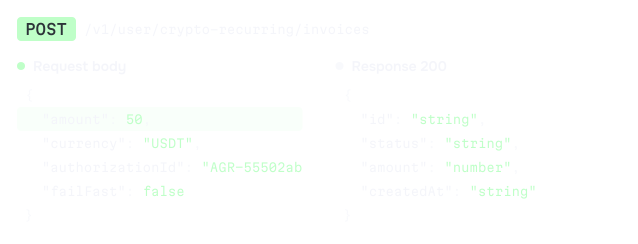
Inspect request and response schemas
See the required parameters, the full request body and the response schema for any method before you write the call.

Bring the Inqud API specification and documentation into Cursor, Claude Code, Codex, Windsurf or any MCP-compatible assistant.

How do I verify an Inqud webhook signature? Show me an example.
 inqudlookup_search_docs"webhook signature"inqudlookup_get_doc_pageWeb Hook Verification
Inqud signs each webhook with HMAC-SHA1
in the X-Payload-Digest header. Verify it:
dig = hmac.new(SECRET, raw_body, hashlib.sha1).digest()signature = binascii.hexlify(dig).decode()return headers['X-Payload-Digest'] == signature Claude Code
 Cursor
 Codex CLI
 Windsurf
 Other tools
On its own, an AI coding assistant does not know the current structure of the Inqud API, so it may pick the wrong endpoint, skip a required parameter or add a field that does not exist in the schema. The usual workaround is copying parts of the documentation into the prompt by hand, which takes time and still leaves gaps.
The Inqud MCP Server works as an OpenAPI MCP server and an MCP server for documentation, giving your assistant direct access to our public API specification and docs.
The data comes from the live API specification, so your assistant works with the current version of the Inqud API. You stay in your editor, and the code it writes matches the real API.
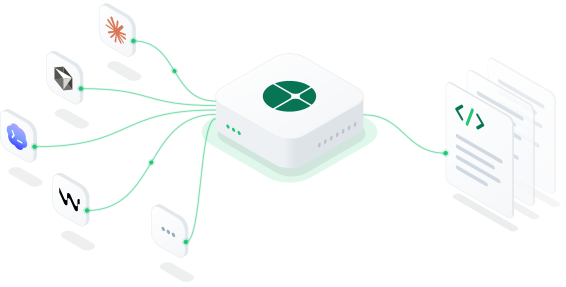
A payment MCP server for working with documentation and the API specification.
 Access merchant balances or private account dataSend authenticated API requests on behalf of a merchantIntegrate Inqud into your product automaticallyCreate or execute payments
See the required parameters, the full request body and the response schema for any method before you write the call.
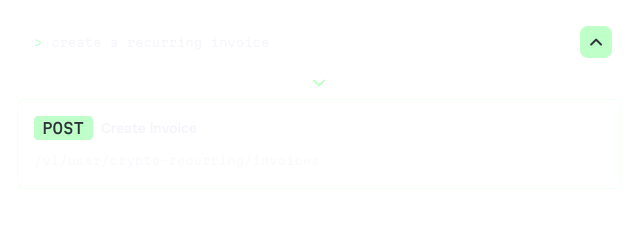
Describe the task in plain words, for example "create a recurring invoice", and your assistant finds the endpoint that handles it.
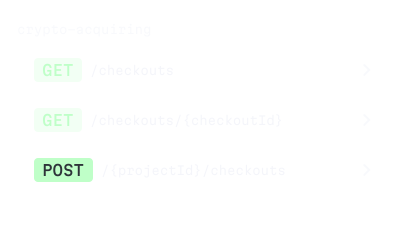
Get a list of the methods in a specific area, such as crypto acquiring, to understand what the API offers for your use case.
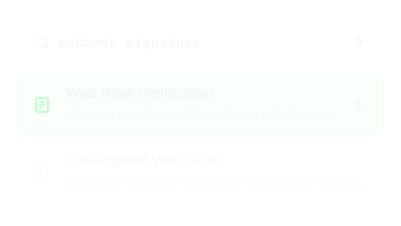
Find the guide or section you need by keywords without leaving the chat with your assistant.
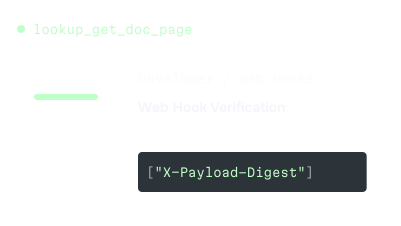
Pull a specific page from the Inqud public guides straight into your AI assistant and work with it in context.
Connectionworksthroughasingleendpoint:.NoauthorizationisneededtoconnecttotheMCPServeritself.Pickyourtoolbelowandaddtheconfiguration.

To connect the Inqud MCP Server, Claude Code needs one command in your terminal:
claude mcp add --transport http inqud https://mcp.inqud.com/v1/mcpYoucanalsoadditmanuallyto(userscope)or(projectscope):
Tochecktheconnection,runinsideClaudeCode.Theinqudservershouldshowasconnected.

TousetheInqudMCPServer,Cursorneedsthisconfigurationin(global)or(project):
{ "mcpServers": { "inqud": { "url": "https://mcp.inqud.com/v1/mcp" } }}RestartCursorandopenCursorSettings,thenTools&MCPs(Cmd+Shift+J).Theinqudservershouldbegreenandshow5tools.

Addtheselinesto:
[mcp_servers.inqud]url = "https://mcp.inqud.com/v1/mcp"Startcodexandtypetochecktheconnection.

Addthisto:
{ "mcpServers": { "inqud": { "serverUrl": "https://mcp.inqud.com/v1/mcp" } }}OpentheCascadepanel,clicktheMCPsiconandpressRefresh.Theinqudserverwillappearwith5tools.

For Cline, Continue, Zed and other clients, connect through the mcp-remote stdio bridge:
npx -y mcp-remote https://mcp.inqud.com/v1/mcpAfter you connect the server, ask your assistant about Inqud the way you would ask a colleague who knows the API well. A few examples to start with:
"What request body should I use to create a crypto-acquiring checkout? Show the schema with all required fields."
Assistant · via inqud MCP · lookup_get_endpoint
Tocreateacrypto-acquiringcheckout,usethisendpoint.Therequiredfieldsareand.Forafixedprice,addwithand.
POST/
{ "clientOrderId": "1234567890", "type": "FIXED_PRICE", "fixedAmount": { "amount": 100, "currency": "USD" }, "name": "My shopping cart checkout", "returnUrl": "https://example.com/return"}"How do I verify an Inqud webhook signature? Show me an example."
Assistant · via inqud MCP · lookup_get_doc_page
InqudsignseachwebhookwithHMAC-SHA1intheheader.Computethedigestoftherawbodywithyourwebhooksecretandcomparethem:
import hashlib, hmac, binasciiSECRET = 'secret_value' # value set as webhook secretdef verifySignature(callback_raw_response, callback_headers): callback_signature = callback_headers['X-Payload-Digest'] dig = hmac.new(bytes(SECRET, 'utf-8'), bytes(callback_raw_response, 'utf-8'), hashlib.sha1).digest() signature = binascii.hexlify(dig).decode() return callback_signature == signature"How do I create an on-ramp checkout through the API? Show the request and response."
Assistant · via inqud MCP · lookup_get_endpoint
Usetheon-rampcheckoutendpoint.Therequiredfieldsare(or)and.
POST/
{ "clientOrderId": "1234567890", "name": "My shop checkout", "type": "NO_PRICE", "methodSubKey": "MC", "returnUrl": "https://example.com/return?clientOrderId=1234567890"}"How do I configure webhooks to track mass payout statuses?"
Assistant · via inqud MCP · lookup_search_endpoints
Registerawebhookformasspayoutpaymentstatuses.isrequired;addatosigneachrequest.Forbatchstatuses,use.
PUT/
PUT/
{ "url": "https://example.com/return/mass_payout_payment", "secret": "Secret phrase"}"Walk me through the crypto recurring payment flow from creating a plan to an active subscription and show the endpoint for creating the plan."
Assistant · via inqud MCP · lookup_get_endpoint
Startbycreatingaplan.Therequiredfieldsareand.Forasubscription,alsoset,and.
POST/
{ "name": "Test Subscription", "type": "SUBSCRIPTION", "amount": 50, "currency": "USD", "period": "MONTHLY", "periodMultiplier": 2, "gracePeriodMinutes": 1440}We’ve built a crypto payment API MCP server around our products. It helps your developers at every stage of the integration: finding the endpoint, checking the required fields, reading the request and response schema and opening the related documentation.
No. The MCP Server does not require authorization. Add the endpoint https://mcp.inqud.com/v1/mcp to your AI assistant, and it can start working with the documentation right away. You will need your Inqud API keys later, when your application sends real requests to the API.
No. The MCP server gives your AI assistant accurate information about the Inqud API: endpoints, parameters and schemas. Your developers still write, review and deploy the integration. The server helps them do it faster and with fewer errors.
No. The server works only with the public API specification and documentation. It has no access to merchant balances, transactions or any private account data, and it does not send authenticated requests.
No. The documentation at docs.inqud.com remains the main source of information. The MCP Server delivers the same content to your AI assistant, so you can use it without switching between the editor and the browser.
Yes. The server takes data from the live Inqud API specification and public documentation, so your assistant works with the current version of the API.
For Claude Code, Cursor, Codex CLI and Windsurf, you only need to add the endpoint to your tool's configuration. Clients that connect through the mcp-remote bridge run it with npx, which requires Node.js.
Yes. The server works with any MCP-compatible client, including Cline, Continue and Zed. Use the connection settings from the Other MCP-compatible clients tab above.
Your assistant can get the list of Inqud API endpoints with methods, paths and short descriptions, search endpoints by keyword, open the full schema of any method with the request body, responses and parameters, search the public documentation at docs.inqud.com and retrieve specific documentation pages.

Navigate the integration process with our concise and structured guides.

Reach out to us with any questions. We’re happy to help.
No KYB needed to sign up.


