

Crypto acquiring checkouts
Create a checkout and pay it with test USDT or USDC from your Sandbox balance. This lets you run the full flow from pay-in to webhook to settlement without an on-chain transaction.

 Sandbox mode
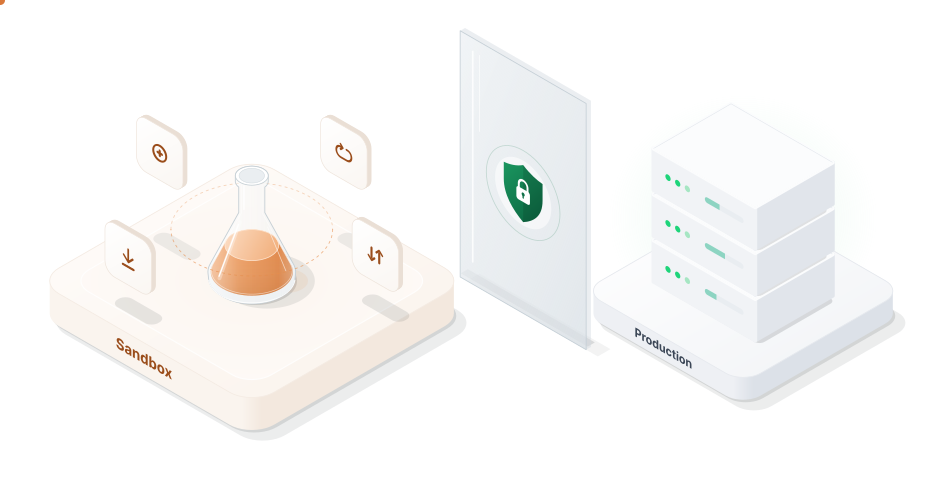
A separate test environment where you can build and check your Inqud integration with test funds instead of real money. Create payments, send payouts and receive webhooks before you go live.

The Inqud Sandbox is an isolated crypto payment test environment for teams who integrate Inqud into their product. It works as a payment gateway sandbox: you create payments, run payouts and receive webhooks without touching the live platform or real funds.
Sandbox has its own URLs, accounts, API tokens and balances. Every production URL has a Sandbox version under the sandbox.inqud.com domain.
Teams use Sandbox to develop and debug integrations, test payment status handling and demo their product without financial risk.

Test tokens and coins have no real value. Mistakes in amounts, currencies, or wallet addresses cost nothing.
Test requests, responses, webhooks, and signatures in Sandbox before moving to production.
Simulate failed or pending payouts and invalid requests to fix issues before customers encounter them.
Developers can build and test the integration while your company completes KYB verification.
Create a checkout and pay it with test USDT or USDC from your Sandbox balance. This lets you run the full flow from pay-in to webhook to settlement without an on-chain transaction.

Accept test deposits on Ethereum Sepolia, BNB Smart Chain Testnet, Polygon Amoy, Arbitrum Sepolia, Optimism Sepolia and Base Sepolia.

Send payouts in test USDT and USDC on the same EVM testnets and check how your system tracks them.

Use the mock card numbers from the documentation to get a successful, failed or pending payout and see how your integration handles each result.

Receive webhooks with the same payloads and signature verification as in production and make sure your endpoint processes them correctly.

ChooseintheserverselectoroftheAPIreferenceandsendrequeststoSandboxstraightfromthedocumentation.
Register at
https://app.sandbox.inqud.com. No KYB is needed, so you can start building right after sign-up.
In the Sandbox dashboard, open the API tokens section and generate a token pair: and . These tokens work only in Sandbox.
Set the API base URL to and sign your requests with the Sandbox tokens. From here, the sandbox payment API follows the same integration guide as production.
Take native testnet coins for network fees from public faucets. To receive test USDT or USDC on your Sandbox balance, contact your Inqud account manager or support.
Sandbox and Production share the same API contract but run as separate environments. Here's how the payment gateway test environment differs from live.
Accounts, API tokens, and balances are separate. Credentials cannot be used across environments.
 Sandbox |  Production | |
|---|---|---|
| Purpose |  Development, testing and demos |  Live payments |
| Funds | Test tokens and testnet coins | Real funds |
| KYB | Not required | Required |
| API base URL | | |
| Merchant dashboard | https://app.sandbox.inqud.com | https://app.inqud.com |
| API tokens | Sandbox token pair | Production token pair |
| Networks | Public EVM testnets | Real blockchain networks |
| Currencies | A subset of production currencies | All supported currencies |
Sandbox API testing is most useful when you go through every call your product will make in production. Before launch, check the following:
Sandbox allows 10 POST requests and 300 GET requests per minute. If your tests need more, ask support to raise the limit.


EveryrequestissignedwiththeSandboxtokenpairintheandheaders.
All required fields are filled in, and the values match the formats in the API reference.
Your system reads successful responses correctly and handles error responses without breaking the flow.
Not every production currency and network is enabled in Sandbox, so request the list of available payment methods from the Sandbox API first and build your tests around it.

Once these checks pass, your test payment API calls reflect how the integration will behave with real customers.
Webhooks tell your system that a payment has arrived or its status has changed, so they deserve separate attention. In Sandbox, webhook payloads and signature verification work the same way as in production.
 Inqud Sandbox
from your test USDT or USDC balance
 Success
instantly, without waiting for blockchain confirmations
X-Payload-DigestCheck that your endpoint receives the webhook, verifies the signature, reads the status correctly and updates the order or balance on your side. The quickest way to trigger this flow is to pay a crypto acquiring checkout from your test USDT or USDC balance: you get the full chain from pay-in to webhook to settlement without waiting for blockchain confirmations.
The Inqud Sandbox runs on public EVM testnets, so you can test crypto payments on networks that behave like real blockchains.
 EthereumSepolia
 BNB ChainTestnet
 PolygonAmoy
 ArbitrumSepolia
 OptimismSepolia
 BaseSepolia
Deposits are available on Ethereum Sepolia, BNB Smart Chain Testnet, Polygon Amoy, Arbitrum Sepolia, Optimism Sepolia and Base Sepolia. To cover network fees, you only need the native testnet coin, such as Sepolia ETH or test BNB, which you can get from third-party faucets.
Get testnet coins USDTPolygon Amoy−50.00
 Success
 USDCBase Sepolia−25.00
 Pending
 Card •••• 0002Mock card number−10.00
 Failed
Payouts work for test USDT and USDC on the same networks. These are test tokens issued by Inqud, and your account manager or support will credit them to your Sandbox balance on request.
For card payouts, the documentation lists mock card numbers that return a successful, failed or pending result. This helps you check how the crypto payment sandbox handles every outcome your customers might run into.
When your integration works in Sandbox, moving to production takes three steps:
ChangetheAPIbaseURLfromto.
Complete KYB and generate production API tokens at https://
Switch to real networks and currencies.

The API contract is the same in both environments, so your integration code does not need other changes.
The environment itself is different, though: production uses real funds, supports more currencies and networks and has its own account and balances.
No. Sandbox has no KYB requirement, so you can register at https://app.sandbox.inqud.com and start building right away. KYB is required only for production.
No. Sandbox works with test USDT and USDC issued by Inqud and with native coins from public testnets. None of them has real value.
Yes. Sandbox and production use separate accounts and separate API token pairs. Sandbox tokens do not work in production, and production tokens do not work in Sandbox.
Yes. Deposits are available on six EVM testnets, including Ethereum Sepolia, Polygon Amoy and Base Sepolia. Payouts work for test USDT and USDC, and mock card numbers let you check successful, failed and pending card payouts.
Yes. Webhook payloads and signature verification in Sandbox are the same as in production. You can check that your endpoint receives webhooks, verifies signatures and processes every payment status.
The API is the same: request and response formats, webhook payloads and signature verification do not change. The environments are different: Sandbox uses test funds and EVM testnets, supports only part of the production currencies and networks and has request limits of 10 POST and 300 GET requests per minute, which support can raise on request.
You change the API base URL to https://api.inqud.com, replace the Sandbox tokens with production tokens and switch to real networks and currencies. To get production tokens, you need to complete KYB.
Check authentication, required fields in your requests, response and error handling, webhook delivery and signature verification, deposits and payouts. It also helps to reproduce failed and pending payouts so your system is ready for every outcome.

Navigate the integration process with our concise and structured guides.

Reach out to us with any questions. We’re happy to help.
No KYB needed to sign up.


